Are electronic signatures legally binding?
Vishwen Labs

In the United States an electronic signature is generally as binding as one in ink. The federal ESIGN Act of 2000 says a signature or contract may not be denied legal effect just because it is electronic, and the Uniform Electronic Transactions Act, adopted in nearly every state, says the same at state level. Four things have to be true: the signer intended to sign, both sides agreed to do business electronically, the signature is connected to the document it signed, and the signed record can be kept and reproduced. Some documents are carved out, and those exceptions matter more than the rule. This is general information, not legal advice.
The two laws
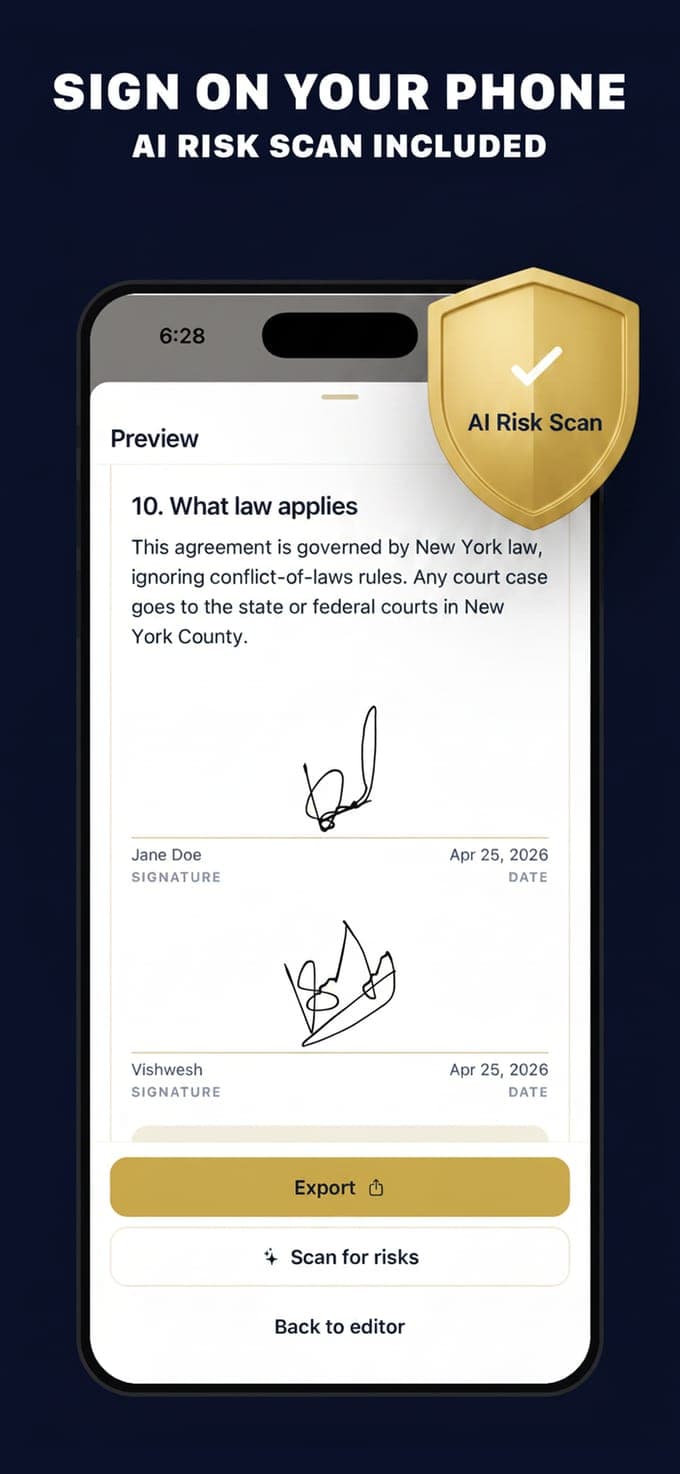
ESIGN is federal and applies to transactions in or affecting interstate commerce; UETA is a model state law that almost every state has enacted, with New York using its own equivalent statute. Between them they cover nearly all commercial and consumer agreements. Neither law prescribes a technology: a typed name, a drawn signature, a click on a button and a cryptographic signature can all qualify. What matters is evidence that the person meant to sign, which is why a signature drawn with a finger on a phone and embedded in the document is on the same footing as one made with a stylus on a tablet in a bank.
The four conditions
Whatever the tool, an electronic signature is expected to satisfy these:
- Intent to sign. The signer took a deliberate act meaning to be bound, not an accidental tap.
- Consent to electronic business. Both parties agreed, expressly or by conduct, to sign electronically. Consumers get extra disclosure rules under ESIGN.
- Association with the record. The signature is attached to or logically connected with the document that was signed, so the pair cannot be separated.
- Retention. The signed record can be kept and reproduced by everyone entitled to it. Each party keeping a copy of the final PDF satisfies this in practice.
What is excluded
ESIGN and UETA leave out documents where the law wants ceremony or extra protection. Wills, codicils and testamentary trusts are the best known. Adoption, divorce and other family-law matters are excluded, as are court orders and filings, and notices that touch someone's home or utilities, such as foreclosure, eviction, repossession and cancellation of health or life insurance. Parts of the Uniform Commercial Code sit outside as well. State law adds its own list, and some states require a notary or witnesses for documents that can otherwise be signed electronically. If a document is on any of those lists, print it and sign it in ink.
How to sign well
Make the intention obvious and keep the evidence. Sign at the end of the document rather than on a separate page, date it, and have both parties sign the same version rather than two copies typed at different times. Send each party the finished file the same day, and keep the original: a PDF that neither side can edit is worth more in an argument than a photo of a screen. If the other party is a company, note who signed and in what role. None of that is required by statute; all of it is what a reader in two years will want.
When to reach for ink anyway
Beyond the excluded documents, use ink where a third party will insist on it. Many county recorders want a wet signature and a notary stamp on anything touching land. Some banks and insurers have their own rules. Certain vehicle title transfers are handled by the state motor vehicle department, which sets the form and may want the seller's signature notarised, whatever the bill of sale says. The rule of thumb: if someone official has to accept the document, ask them what they accept before you sign it electronically.
Contract Maker is a drafting tool from Vishwen Labs, not a law firm. The templates are starting points written in plain English, they are not legal advice, and using the app does not create an attorney-client relationship. Every template says so itself: it is a template to get you started, and for anything important you should talk to a qualified lawyer where you live. The pages here explain what documents usually contain; they do not tell you what to sign.
Questions people also ask
Is a signature drawn with a finger valid?
It can be. The law looks for intent and association with the document, not for a particular input device, so a finger-drawn signature embedded in the PDF works the same way as one drawn with a stylus. Keep the signed file rather than a screenshot.
Can I sign a will electronically?
Generally no. Wills, codicils and testamentary trusts are excluded from ESIGN and UETA, and state law usually sets out how a will must be signed and witnessed. A few states have adopted electronic-will statutes with their own requirements. Treat a will as a print-and-sign document and take advice.