
Contract Maker
Business tools · iOS 17 or later
Draft a contract on your phone, in plain English
Contract Maker carries 64 US document templates, from NDAs and service agreements to leases, bills of sale, demand letters and simple wills. Each one is written in plain English with numbered sections a non-lawyer can read: who is in this agreement, why you are sharing information, what law applies. Fill the form, preview the document, sign it with a finger and export a PDF, Word file, plain text or Markdown. Twelve templates carry state-specific versions covering 25 states; the rest are a generic US version, and the app says which is which on the template itself. Drafts, versions and signatures live in a database on the phone, with no account to make.
- 64 templates in ten categories, in plain English with numbered sections
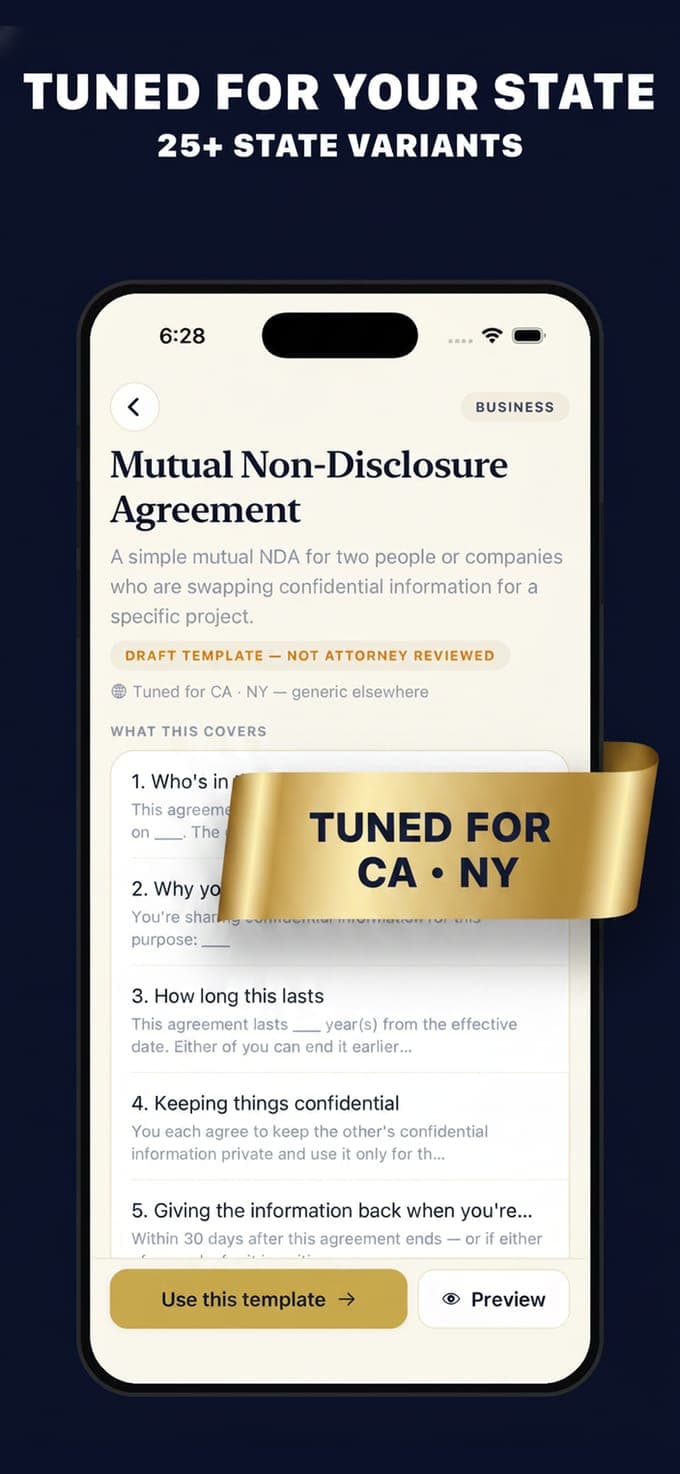
- 12 templates with state versions across 25 states, marked on the template
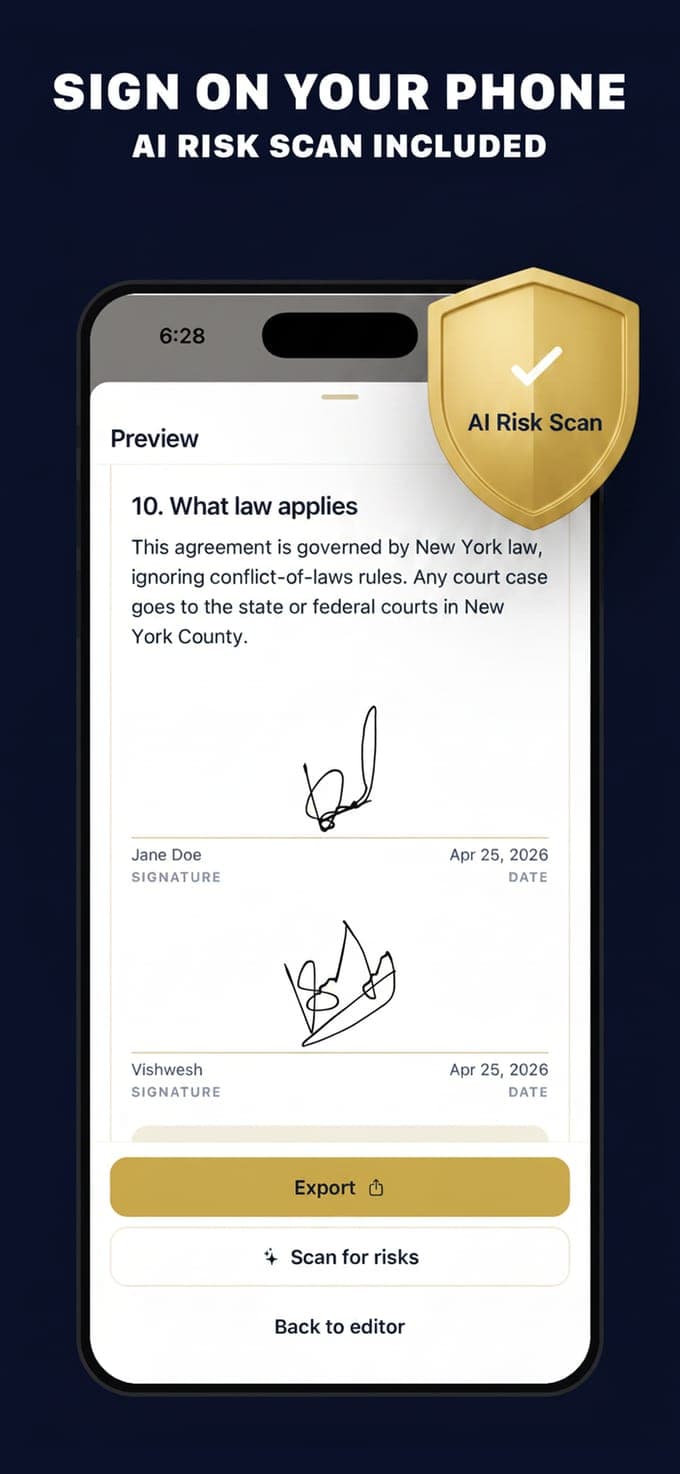
- Sign on the phone and export PDF, DOCX, TXT or Markdown. No account
Contract Maker is a drafting tool from Vishwen Labs, not a law firm. The templates are starting points written in plain English, they are not legal advice, and using the app does not create an attorney-client relationship. Every template says so itself: it is a template to get you started, and for anything important you should talk to a qualified lawyer where you live. The pages here explain what documents usually contain; they do not tell you what to sign.
Pick
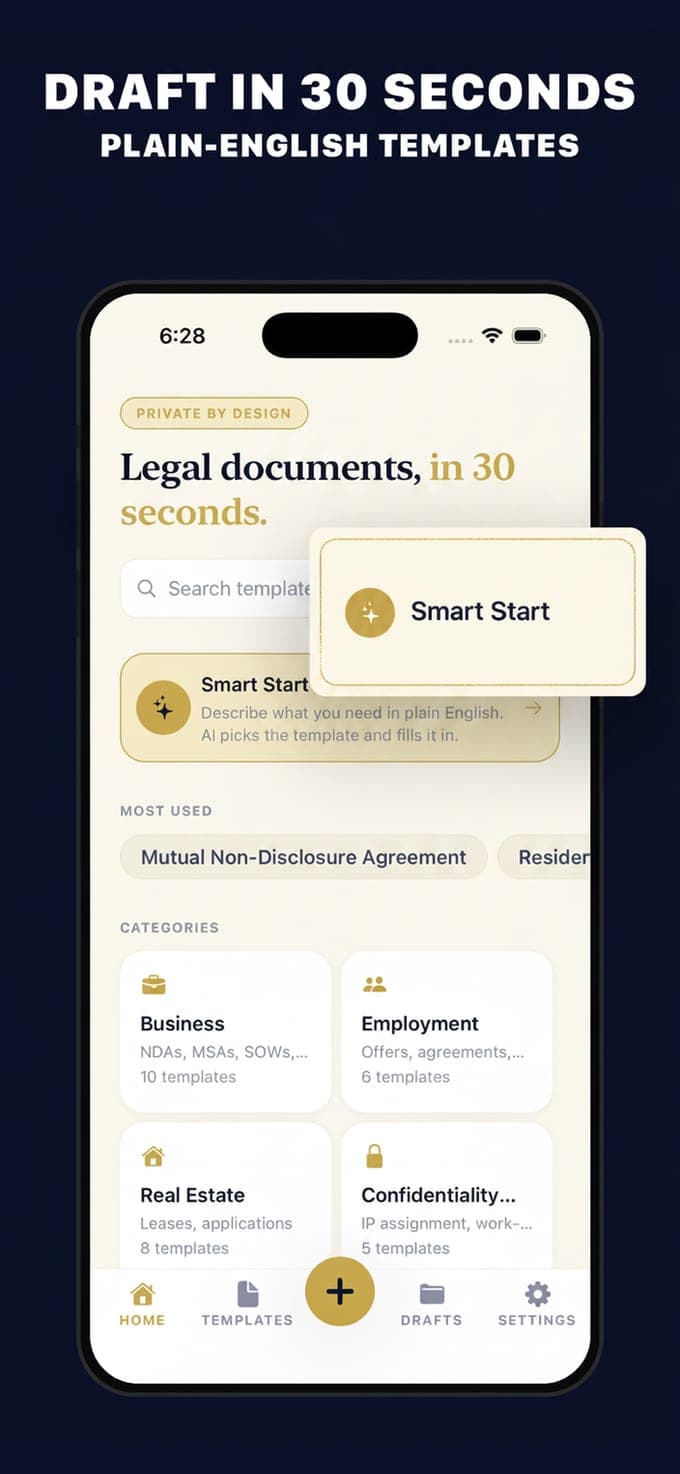
A library that says what each document is for
Ten categories: business with 13 templates, real estate with 9, financial with 8, employment and freelance with 6 each, estate and digital with 5, confidentiality, disputes and everyday agreements with 4 each. Every template opens with a summary in one sentence and, where the state matters, a line that names the states it has been tuned for. The residential lease has 14 state versions, the non-compete 10, the IP assignment 8, and five more carry California, New York, Texas and Florida; the other 52 templates are a single generic US version, and the template page says so rather than implying more.
Fill and sign
A form, a preview, a signature and a file
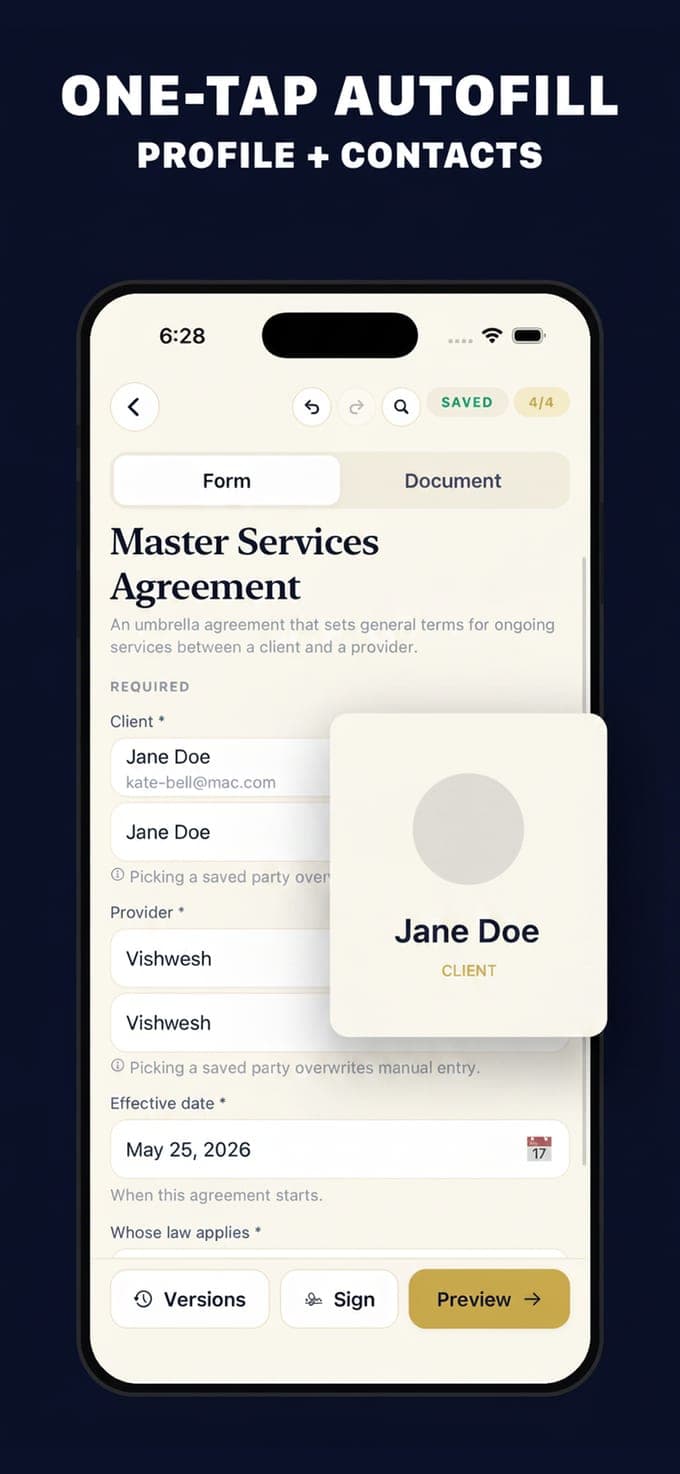
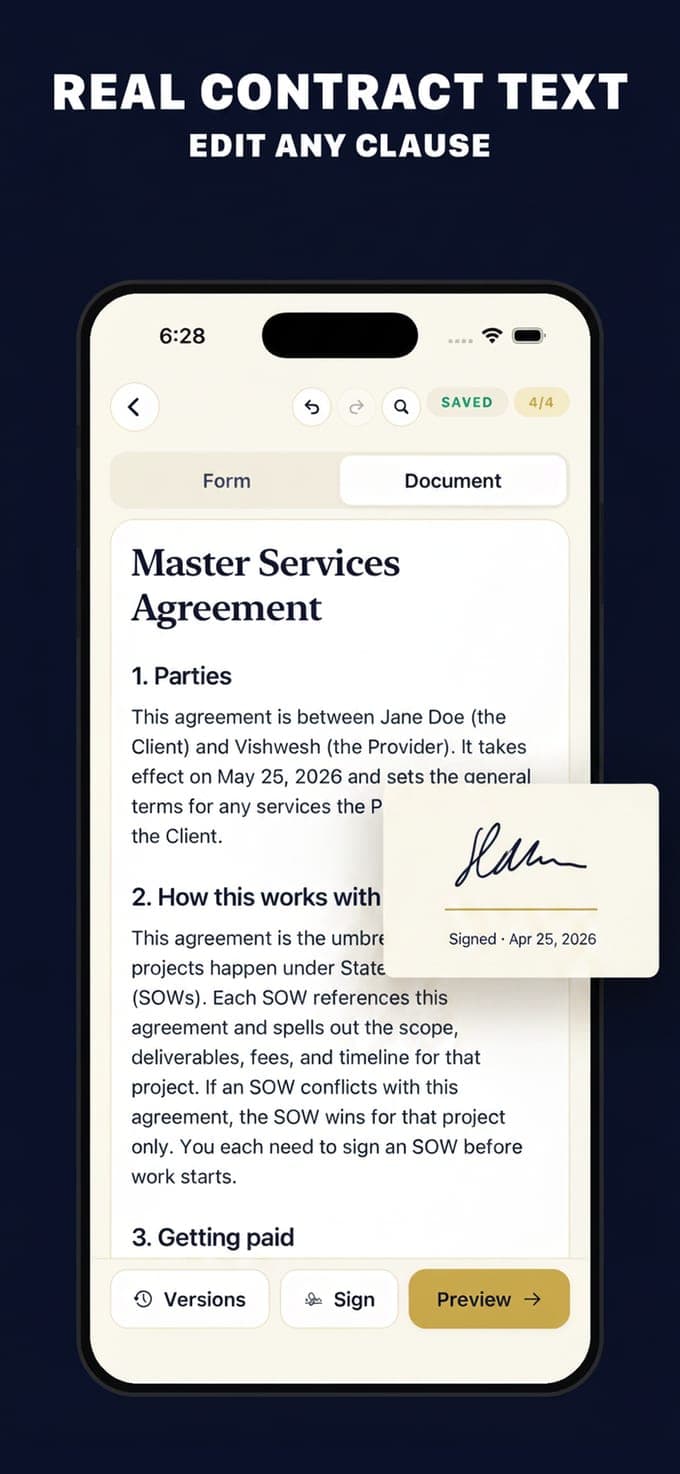
The form asks for what the document needs: the parties, the dates, the amounts, the term, whether to include arbitration. A party book stores the people you contract with and can pull one in through Apple's own contact picker, one contact at a time. The Document tab shows the rendered agreement as you type. When it is ready, sign with a finger, hand the phone over for the other signature, and export a PDF, a Word file, plain text or Markdown through the share sheet. Every save keeps a version with a hash, so you can see what changed.
Keep
Drafts on the phone, folders, and an honest privacy line
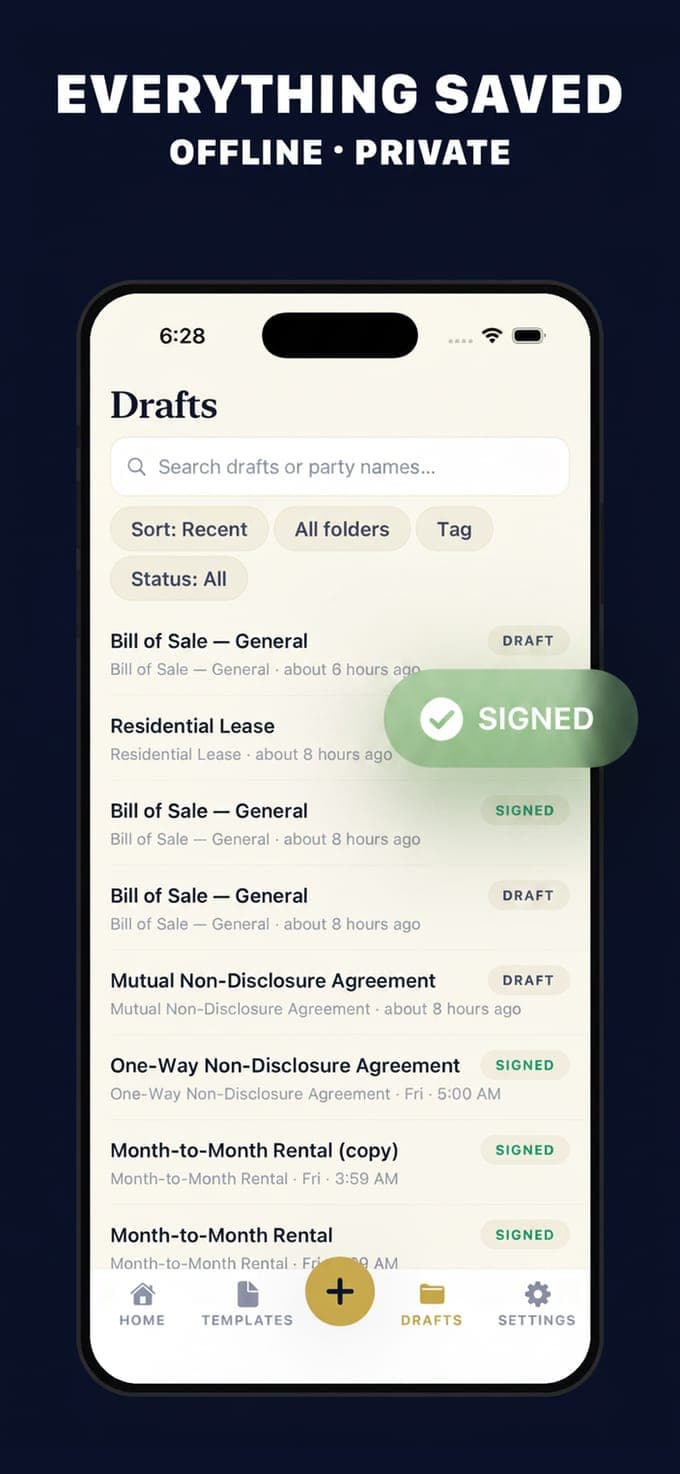
Drafts, versions and signature images are stored in a database on the phone; there is no account, no sign-in and no cloud copy, which also means no sync and no recovery beyond an export. Folders and tags keep the list in order, and each draft shows whether it is a draft or signed. Two things do leave the phone, and the pages here say so rather than claiming otherwise: the AI features send the text you ask about to a server that calls OpenAI, and the app reports anonymous usage and crashes unless you switch that off in Settings.
How it works
From a blank page to a signed PDF.
01
Choose the template
Download Contract Maker on an iPhone or iPad running iOS 17 or later and browse the ten categories or search. Each template shows a plain-English summary, the states it has versions for, and a badge saying it is a draft template that no attorney has reviewed. All 64 are open on the free tier.
02
Fill the form and read the document
Answer the fields, saving parties to the address book as you go, and switch to the Document tab to read the agreement as it will print. Explain and Rewrite can put a clause in plainer words, ten times a day on the free tier. Free accounts keep one saved draft at a time.
03
Sign, export, keep
Sign with a finger, pass the phone for the second signature, and export a PDF, DOCX, TXT or Markdown. Free exports carry a watermark and are limited to one a day; Pro removes both, at $2.99 a week with a three-day trial or $29.99 a year. Then check it, and for anything that matters take it to a lawyer.
Guides
Contracts, explained without the jargon.
Nine guides on what people search for before they sign something: what makes a contract binding, whether an electronic signature counts, what a governing law clause does, what belongs in an NDA, a contractor agreement, a lease, a bill of sale and a demand letter, and how to draft one on a phone. Information, not legal advice.
 What makes a contract legally binding?A contract binds when there is an offer, acceptance, value each way, capable parties and a lawful purpose. What each element means, and what breaks one.Read the guide →
 Are electronic signatures legally binding?Yes, under the federal ESIGN Act and state UETA laws, when the signer means to sign and both sides agree to it. The conditions and the exceptions.Read the guide →
 Governing law and jurisdiction clauses, explainedA governing law clause picks whose law reads the contract. A forum clause picks where a dispute is heard. Why both appear and when they hold.Read the guide →
 How to write an NDAAn NDA defines the confidential information, says what the receiver may do with it, sets a term and lists the carve-outs. Mutual against one-way.Read the guide →
 What to include in an independent contractor agreementScope, deliverables, payment terms, who owns the work, confidentiality and termination. The clauses that prevent arguments, and the classification trap.Read the guide →
 How to make a contract on your phonePick a template, fill in the parties and terms, read the rendered document, sign, export a PDF and send both sides a copy. The steps and the checks.Read the guide →
 What to include in a residential lease agreementParties, property, term, rent, deposit, utilities, repairs, entry and how it ends. The clauses every lease needs, and the parts your state decides.Read the guide →
 What to include in a bill of saleA bill of sale records who sold what to whom, for how much and when, usually as-is. What to write for a vehicle, and why it is not the title.Read the guide →
 How to write a demand letterState the facts, say exactly what you want, give a deadline and say what happens next. The structure, the tone that works, and how to send it so it counts.Read the guide →
Questions
Common questions.
Are the contracts in this app legally binding?
A document is binding when the usual elements are there and both sides sign: an offer, acceptance, something of value each way, parties old enough and able to agree, and a lawful purpose. The templates are drafted to include those parts, but no template can know your situation. The app calls each one a draft template that no attorney has reviewed, and for anything important you should have a lawyer in your state read it.
Learn more →How many templates are there?
64 in the shipped app, across ten categories: business 13, real estate 9, financial 8, employment 6, freelance 6, estate 5, digital 5, confidentiality 4, disputes 4 and everyday agreements 4. The store listing still says 54. All of them are available on the free tier.
Which templates are state-specific?
Twelve of the 64, covering 25 states between them: the residential lease has 14 state versions, the non-compete 10, the IP assignment 8, and the employment agreement, general power of attorney, both bills of sale and the month-to-month rental have California, New York, Texas and Florida. The mutual and one-way NDAs, the master services agreement and the independent contractor agreement have California and New York. The other 52 templates are one generic US version, and each template page says which it is.
Learn more →Can I sign in the app, and does that count?
You sign with a finger and the signature is drawn into the document; the other party can sign on the same phone. Electronic signatures are recognised in the United States under the federal ESIGN Act and the state versions of UETA when the signer means to sign and both sides agree to sign electronically. Some documents are excluded, wills among them, and some states want a notary or witnesses. The e-signature guide sets out the rules and the exceptions.
Learn more →Is Contract Maker free?
Free to download, browse all 64 templates, fill a form, preview the document, sign it and export it once a day with a watermark, keeping one saved draft at a time, plus ten Explain or Rewrite calls a day. Pro removes the draft cap, the daily export limit and the watermark and adds Smart Start and the AI risk scan. It costs $2.99 a week with a three-day free trial or $29.99 a year on the US App Store.
Do my contracts leave my phone?
The drafts, versions and signature images stay in a database on the phone, and there is no account or cloud copy. The AI features are the exception: Smart Start, the risk scan, Explain and Rewrite send the text you ask about to a server that passes it to OpenAI, and the answer comes back. The app also reports anonymous usage and crash data, which you can switch off in Settings. Everything else works offline.
What does the AI risk scan actually do?
It reads the draft and returns a list of findings with a severity, the sort of thing a careful reader would flag: a one-sided clause, a missing governing law, a term that could be read two ways. It is a prompt to look again, not a legal review, and it needs a connection because the text is analysed on a server. It is a Pro feature.
What formats can I export?
PDF, Word (DOCX), plain text and Markdown, through the iOS share sheet, so a document can go straight into Mail, Files or another app. Free exports carry a watermark and are capped at one a day.
Learn more →Does it work outside the United States?
The templates are written for the United States, and the state versions are US states, so a document drafted here will not fit another country's rules on leases, employment or wills. The general parts, what an NDA covers or what a bill of sale records, are useful anywhere; the wording is not.
Is this legal advice?
No. Contract Maker is a drafting tool, not a law firm, and using it does not create an attorney-client relationship. Every template repeats it: the document is a starting point, not legal advice, and for anything important you should talk to a qualified lawyer where you live. These pages explain what documents usually contain; they do not tell you what to sign.
Download
Contract Maker, free to start
All 64 templates, the form, the preview, signing and one watermarked export a day are free, with one saved draft at a time. Pro removes the cap and the watermark and adds Smart Start and the risk scan, for $2.99 a week with a three-day trial or $29.99 a year. iPhone and iPad, iOS 17 or later.