Apps that make you exercise to unlock your phone
Vishwen Labs

An app that makes you exercise to unlock your phone locks the apps you choose through Apple's Family Controls and lifts the lock when its camera or a sensor has counted the reps you set as the price. The category grew out of a TikTok trend, and a dozen apps now promise pushups for scrolling, so the useful question is what separates one that works from a timer with a gym theme. Six things: whether the block is a system shield or an honour system, whether reps are counted by the camera on the device or tapped in, whether the rates are yours to set, what happens at midnight, what the free tier is, and where the video goes.
How the category works
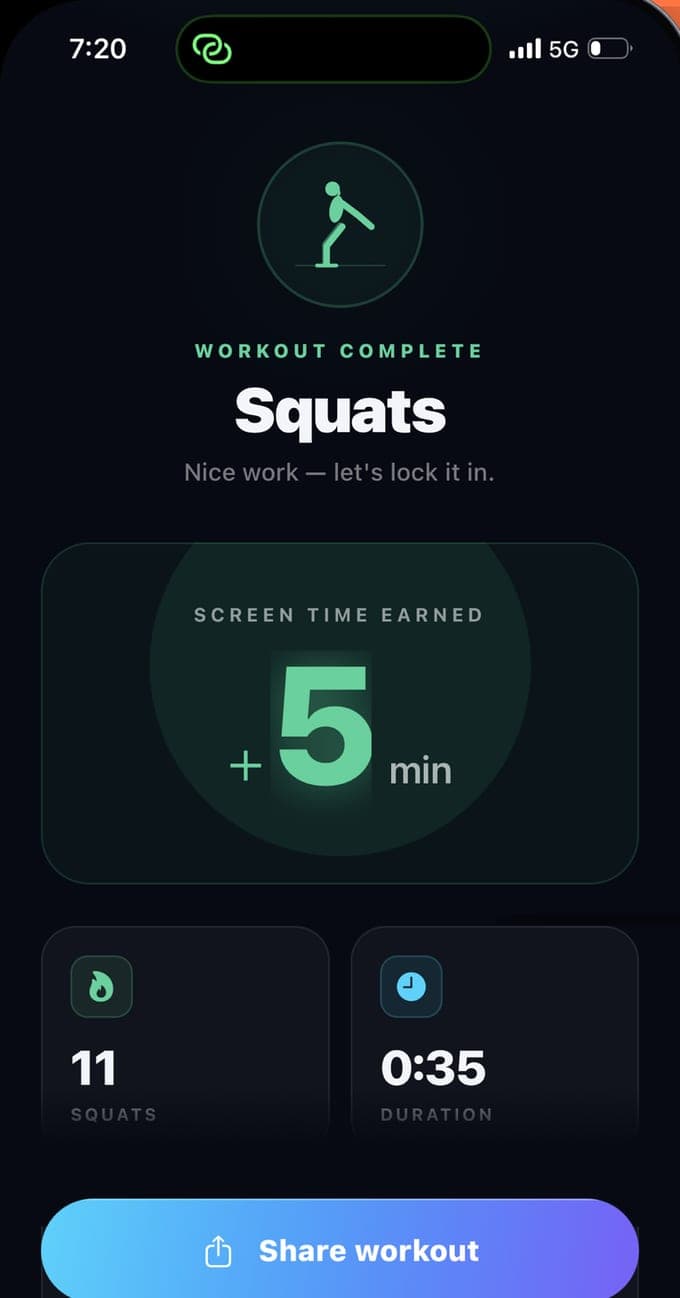
Every app of this kind has two halves. The lock half uses Apple's Screen Time frameworks: you authorise the app, pick what to block in Apple's picker, and the app applies a shield when its condition is not met. The earn half is the exercise: a camera and pose detection for pushups and squats, the motion sensors for steps, or a plain tap counter. The condition that joins the halves is the app's whole personality. Some unlock for a fixed session after a fixed set. Some sell a daily quota. BurnToScroll runs a balance: every rep adds minutes, using the apps spends them a minute at a time, and the shield returns at zero.
Six things to check
Before trusting one of these apps with your evenings:
- The block. A Family Controls shield cannot be dismissed from the lock screen; a reminder or an overlay can. Ask whether it needs Screen Time permission. If it does not, it is not blocking.
- The counting. On-device pose detection counts a rep only when the body does the movement; a tap counter counts thumbs. Camera counting that uploads video is a different privacy question.
- The rates. A pushup should be worth what you decide it is worth. Fixed rates suit some people; editable ones suit anyone whose fitness changes.
- The reset. A balance that resets at midnight makes every day cost again; a bank that carries over lets a good Sunday buy a bad week.
- The free tier. What can you actually do without paying, and does the trial need a card that renews on day four?
- The escape hatches. There should be one for emergencies and none on the lock screen.
How BurnToScroll answers them
The block is a Family Controls shield, applied at a zero balance and lifted above it, with the usage counted by a Device Activity extension a minute at a time. Reps are counted by MediaPipe pose detection running on the phone, which sees the body as 33 landmarks and never uploads a frame; a pushup needs the elbows to bend and straighten, a squat needs both legs to drop together, a plank needs the forearms on the floor. The rates start at 1.5 minutes a pushup, 45 seconds a squat and 3 minutes per 30 seconds of plank and are editable with Premium. The balance resets at local midnight. Free gets one app and one workout a day; Premium is $2.99 a week or $24.99 a year. The escape hatch is a Premium pause until midnight, and the permission itself lives in the iPhone's Settings.
Who these apps suit, and who they do not
They suit people who have tried limits, deletion and good intentions and want a rule that holds when they are tired, and who can do a few pushups or squats without pain. They suit people who would like to exercise more and know that a gym membership is not the missing piece. They do not suit anyone who cannot exercise safely, anyone hoping to lock a child's phone, since this authorisation is for the phone's own user, or anyone who expects to feel nothing when the shield appears. The shield is meant to be annoying. That is the price, and it is the whole idea.
A word on the rates and on rest days
Forty pushups for an hour of Instagram is a fair trade for someone who trains and a wall for someone who does not, so start generous and tighten. BurnToScroll's setup offers Light, Balanced and Generous goals of 30, 60 and 120 earned minutes a day, and Premium's custom rates go down to a tenth of a minute per rep, which turns forty pushups into four hundred or four. On a rest day, use the pause, lower the rate, or take the day off the feed; the app's job is to make the scroll cost something, not to stop you resting.
Questions people also ask
Do exercise-to-unlock apps really block the apps?
The ones built on Apple's Family Controls do: the block is a system shield that the app itself cannot see past and that has no Ignore button. Apps without Screen Time permission can only nag. Check for the permission prompt at setup.
Can I use one of these apps to control my child's phone?
Not BurnToScroll; it authorises Screen Time for the person holding the phone. Apple runs a separate parental flow through Family Sharing, where a parent approves the authorisation from their own device, and that needs an app built for it.