What Apple's Family Controls can and cannot do
Vishwen Labs

Apple's Family Controls framework lets an app on your iPhone shield other apps, monitor how long they are used and set limits, with the same machinery that Screen Time itself uses, and it does so without telling the app which apps you chose. Apple's documentation describes the picker as a view in which users specify apps, websites and categories “without revealing their choices to the app”, and the selection it produces as “opaque values”. It cannot read your messages, cannot stop you removing the permission, and for an individual user is not a parental control at all. Knowing the edges makes an app like BurnToScroll easier to trust and easier to configure.
Three frameworks, one permission
Apple splits the job across three frameworks that arrived with iOS 15. Family Controls handles authorisation: “Authorize your app to provide parental controls on a device.” Managed Settings does the restricting: “a privacy-preserving way for users to restrict access to certain settings and features on their devices”, and it is what applies a shield to an app. Device Activity does the measuring: “a privacy-preserving way for an application to monitor a person's application and website activity”, with warnings when “an activity is about to reach a predefined threshold”. An app needs a special entitlement from Apple to use them, granted on application, which is why not every screen-time app blocks anything.
Individual, not parent
The framework has two modes. For a child, “authorizing parental controls for a child requires approval from a parent or guardian in the same Family Sharing group”, and the child then cannot delete the app or sign out of iCloud while it is authorised. For an individual, authorisation “requires approval from the owner of the device”, given through Face ID or the passcode, and the owner keeps every power: the permission can be withdrawn in Settings and the app deleted at any time. BurnToScroll uses the individual mode. That is the honest shape of a self-control tool: it holds against a tired thumb, not against a determined adult, and it does not pretend otherwise.
What the app is told, and what it is not
When you pick apps in the system picker, the app receives a FamilyActivitySelection that, in Apple's words, “holds opaque values that represent categories, applications, and web domains selected by the user”. The app can count them, hand them to Managed Settings to shield and to Device Activity to monitor, and nothing else. It does not learn that you chose Instagram. It cannot read notifications, messages or browsing inside the apps, and the usage figures it gets are minute counts against thresholds it set, not a log of what you looked at. BurnToScroll's own manage screen says it plainly: Apple keeps your selection private, and the app never sees app names.
How BurnToScroll uses the three
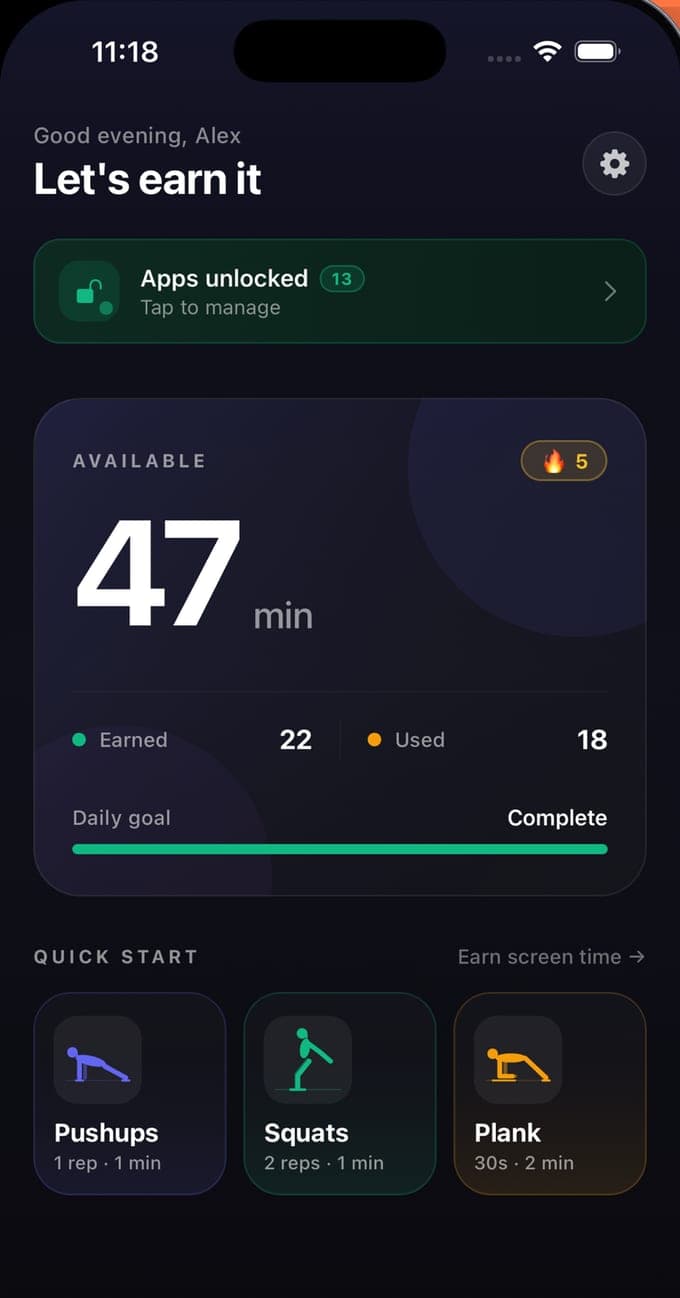
Authorisation happens at setup, as an individual. The picker's selection is stored as tokens. A shield extension draws the lock screen, with a greeting for the time of day, your streak and an Earn 5 minutes button, and a second extension handles the tap by opening a workout. A monitor extension schedules Device Activity events one minute apart, up to sixty per window, so that usage of the locked apps is counted a minute at a time and the shield returns when the balance reaches zero; a warning fires at five minutes left. When the balance is above zero the shield is removed. The balance itself, the rates and the reset at midnight live in the app, not in Apple's frameworks, which only ever see shield on, shield off and minute thresholds.
The limits worth knowing
A shield blocks an app's screen; it does not stop notifications from arriving unless you turn those off yourself. Websites are blocked by domain in Safari, not inside other browsers' private modes. The frameworks need a physical iPhone and do not run in a simulator or, Apple notes, in iPad apps on visionOS. And the permission is a switch in Settings that only you can flip, which means an app built on Family Controls for an individual can never be stronger than your willingness to leave it on. That is a limit and a feature at once.
Questions people also ask
Can a Family Controls app see which apps I use?
Not by name. It receives opaque tokens for what you picked and minute counts against thresholds it set. Apple's documentation describes the picker as working without revealing the user's choices to the app.
Can I remove a Family Controls app's lock if I change my mind?
As an individual, yes, always: turn off the app's Screen Time access in the iPhone's Settings, or delete the app. Only a child's authorisation, approved by a parent through Family Sharing, prevents deletion.